The best Cloudways server location is the one closest to where your visitors actually are. Picking the right region cuts Time to First Byte (TTFB), improves Core Web Vitals scores, and gives you a latency edge over competitors on more distant servers. This guide lists every available Cloudways server location by provider, explains how to set a region during setup, and covers what to do when your audience spans multiple countries.
If you are still deciding which cloud provider to pair with your region, see our guide on choosing a cloud provider on Cloudways first.
Complete List of Cloudways Server Locations by Provider
Region is set at the server level. Available locations depend on which cloud provider you select:
- DigitalOcean: New York, San Francisco, Amsterdam, London, Frankfurt, Toronto, Bangalore, Singapore
- Vultr: Atlanta, Chicago, Dallas, Los Angeles, Miami, New York, Seattle, Silicon Valley, Amsterdam, Frankfurt, London, Paris, Tokyo, Singapore, Sydney, Toronto, Tel Aviv, Warsaw, Bangalore, Delhi, Osaka, Madrid, Stockholm
- Linode (Akamai Cloud): Atlanta, Dallas, Fremont, Newark, Chicago, Seattle, Toronto, São Paulo, London, Frankfurt, Singapore, Mumbai, Sydney, Tokyo
- AWS: US East (N. Virginia), US East (Ohio), US West (Oregon), EU (Ireland), EU (Frankfurt), EU (London), EU (Paris), Asia Pacific (Singapore), Asia Pacific (Sydney), Asia Pacific (Tokyo)
- Google Cloud Platform: US Central (Iowa), US East (S. Carolina), US West (Oregon), EU West (Belgium), EU West (London), Asia Pacific (Singapore), Asia Pacific (Taiwan)
Vultr covers the widest range of regions, with over 20 locations across North America, Europe, Asia, and Oceania. Linode (now Akamai Cloud) is a close second and covers South America via São Paulo. DigitalOcean covers all the major zones at competitive prices and remains the most popular choice on Cloudways. AWS and GCP expose fewer regions through Cloudways than their full infrastructure offers, but both work well for production workloads that require a specific provider.
Cloudways Amsterdam: What to Know Before You Choose
Amsterdam is available on both DigitalOcean (AMS3 datacenter) and Vultr, making it one of the most accessible European locations on Cloudways. It is a strong choice for sites targeting the Netherlands, Belgium, Scandinavia, and Central Europe generally.
A few practical notes on Cloudways Amsterdam:
- DigitalOcean Amsterdam (AMS3): This is the AMS3 zone, located in Amsterdam. It has been a DigitalOcean region since 2014 and is one of their most stable EU options. Typical TTFB from a cached WordPress page measured from Amsterdam is 40 to 80ms. From London it averages 10 to 20ms additional latency compared to DigitalOcean London, which is still well within acceptable range for most EU sites.
- Vultr Amsterdam: Vultr also operates an Amsterdam region at a similar price point to DigitalOcean. If you need a wider range of EU locations (Frankfurt, London, Paris, Warsaw, Stockholm, Madrid are all Vultr options), Vultr gives more flexibility while still including Amsterdam.
- GDPR considerations: Hosting in Amsterdam keeps data within the EU, which matters for sites that process EU visitor data. Both DigitalOcean and Vultr are GDPR-compliant for EU data residency.
- Frankfurt vs Amsterdam: If your audience is split between Germany and the Netherlands, Frankfurt is often marginally faster for Germany and marginally slower for the Netherlands. For a Netherlands-primary site, Amsterdam is the better call. For a general Central Europe audience, either works.
To choose Amsterdam at signup, select DigitalOcean or Vultr as your cloud provider, then pick Amsterdam from the Server Location dropdown when creating your server.
How to Select a Server Location in Cloudways
Location is set at server creation and cannot be changed after launch. To choose your region:
- Log into your Cloudways account and click Create Server.
- Choose your cloud provider (DigitalOcean, Vultr, Linode, AWS, or GCP).
- Open the Server Location dropdown and select the region closest to your primary audience.
- Choose your server size, then click Launch Now.
If you later need a different region, you must create a new server and migrate your application to it. There is no in-place region change, so choose carefully from the start.
Which Cloudways Server Location Should You Choose?
The right answer depends on where your users are and what kind of site you run. Here are practical recommendations by use case:
- US audience, WordPress blog or small business: DigitalOcean New York or San Francisco. DO New York is the most tested region on Cloudways and typically delivers TTFB under 200ms for East Coast visitors.
- UK or EU audience: DigitalOcean Amsterdam or Frankfurt, or Vultr London. Frankfurt and Amsterdam tend to have fast, consistent response times for Central and Northern Europe.
- Asia-Pacific audience: Vultr Singapore or Tokyo. Singapore is the most common entry point for Southeast Asian traffic; Tokyo is better if most visitors are in Japan or South Korea.
- Australia: Vultr Sydney or Linode Sydney. There are limited Sydney options, but both providers cover this region adequately for most workloads.
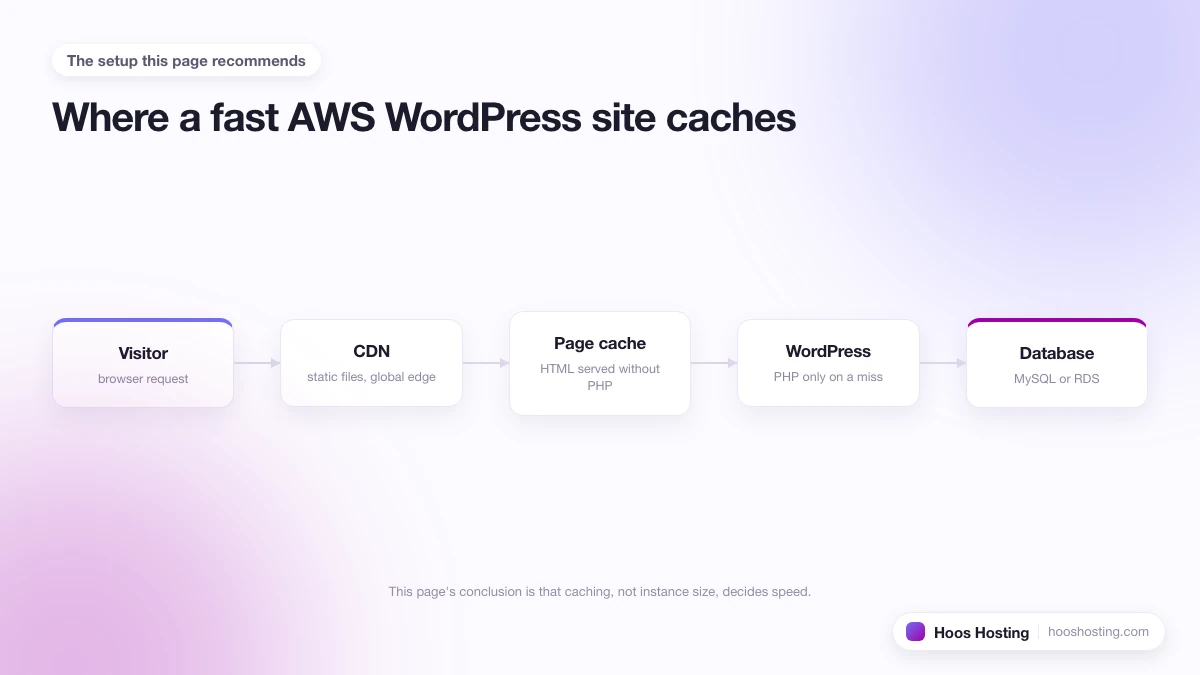
- Global traffic, mixed audience: Pick your highest-revenue region, then enable the Cloudways CDN to serve static assets from Cloudflare’s global edge. That covers most latency problems without running multiple servers.
- Enterprise or compliance-sensitive workloads: AWS or GCP. Both offer stricter data residency guarantees and meet compliance frameworks (SOC 2, HIPAA eligibility) that DigitalOcean and Vultr do not. US-East N. Virginia (AWS) is the most cost-efficient option.
Why Server Location Affects Speed
Every millisecond of distance between your server and a visitor adds latency to each request. A visitor in Sydney loading a page from a US-East server typically experiences 150 to 200ms more round-trip time than a New York visitor does. For a WordPress page that requires multiple server round-trips (HTML fetch, PHP processing, database queries), these compound into a noticeably slower load.
TTFB is one of the primary factors in Google’s Largest Contentful Paint (LCP) score. A server in the same continent as your audience is one of the cheapest speed improvements available: no plugins, no code changes, and no extra monthly cost compared to the same server in the wrong region.
Location is only one piece of the speed puzzle. Once your region is set, work through the rest of the levers in our guide on how to make Cloudways faster for WordPress, from Varnish and Redis to image optimization.
Server Location and Search Rankings
Google crawls pages from distributed locations around the world. A US-hosted server will respond faster to a US-based Googlebot than to one crawling from the UK or Asia, and this can affect rankings in those specific markets.
This matters most for single-country sites targeting local search terms. A site targeting UK local terms will benefit from a London or Amsterdam server over a US-East one. For multi-country sites, a CDN reduces the gap enough that a single well-chosen server works fine.
What to Do If Your Audience Is Global
If your traffic comes from multiple continents, no single server location is optimal for everyone. Two practical approaches:
- Anchor to your highest-value market: If 60% of revenue comes from the US, a US server is the correct call. Accept slightly higher latency for other regions in return for the best experience where it matters most.
- Enable the Cloudways CDN: Cloudways includes a Cloudflare-powered CDN add-on. Turning it on caches static assets at Cloudflare’s 300+ edge locations and reduces load time for distant visitors without a server migration. For most global WordPress sites, this is the most practical and cost-effective solution.
Does Server Location Affect Price on Cloudways?
For DigitalOcean, Vultr, and Linode, pricing is consistent across regions. A 1 GB DigitalOcean Droplet costs the same in New York as in Singapore. AWS and GCP can show minor pricing differences between regions, but these are small compared to the differences between providers themselves. Server size and provider choice affect your monthly bill far more than region selection does.
What Happens If You Chose the Wrong Cloudways Region?
Server location is locked at creation on Cloudways. There is no in-place region change. If your audience has shifted or you made the wrong call at signup, the fix is to:
- Create a new server in the correct region (same or different provider).
- Clone your application to the new server using the Cloudways dashboard (Application Management > Clone to Another Server).
- Test the cloned application on the new server using its temporary Cloudways domain.
- Update your DNS to point your domain at the new server IP address.
- After the DNS propagates and traffic has shifted, delete the original server to stop billing for it.
The full process takes 30 to 60 minutes for most WordPress sites, plus DNS propagation time (usually one to four hours with low TTL). For the detailed migration walkthrough including database verification and Cloudflare DNS update steps, see the Cloudways WordPress migration guide.
If you are not ready to migrate, adding the Cloudways CDN to your current server is a practical interim fix. It caches static assets at Cloudflare edge locations close to your audience without touching the server region, which reduces load times significantly for visitors far from your origin.
Cloudways Server Location: Realistic TTFB Expectations
These are typical Time to First Byte (TTFB) ranges for a cached WordPress page on a 2 GB DigitalOcean server, measured from a test client in the same continent as the server:
- Same continent, nearby city: 50 to 150ms. This is the target. A visitor in London hitting a Frankfurt or Amsterdam server typically lands in this range.
- Same continent, distant city: 150 to 300ms. A visitor in Seattle hitting a New York server, or an Australian visitor hitting a Singapore server. Still acceptable for most sites.
- Cross-continent: 300 to 600ms for uncached pages. A European visitor hitting a US-East server, or an Asian visitor hitting a European one. The CDN mitigates this for static assets but the initial HTML request still travels the full distance.
- Trans-Pacific (US to Australia): 400 to 800ms uncached. This is the hardest route for latency without a regional server or aggressive CDN caching of full pages.
These figures assume server-level page cache is active (Breeze plus Varnish). An uncached PHP request adds 200 to 500ms on top of these numbers depending on server size, WordPress complexity, and number of active plugins. Enabling Redis object caching narrows that gap on WooCommerce stores and membership sites with heavy database load.
Summary: Choosing the Best Cloudways Server Location
Pick the region closest to your primary audience. For a single-country site, the decision is straightforward: find the nearest data centre on your provider of choice. For global sites, enable the Cloudways CDN to serve cached content from edge locations worldwide, rather than accepting a compromise server location. Remember that location is locked at server creation: moving to a different region later requires a new server and an application migration.