Yes, WP Rocket works on Cloudways. You install it like any WordPress plugin: buy a license, upload the zip or install from the dashboard, and activate it. Cloudways runs standard PHP hosting so there are no compatibility issues. The question is whether you should use WP Rocket alongside Cloudways’s built-in caching options, or use something different entirely.
What is WP Rocket?
WP Rocket is a premium WordPress caching plugin. It combines page caching, file minification, image lazy loading, database optimization, and a CDN integration layer into a single interface. Unlike free alternatives such as W3 Total Cache or LiteSpeed Cache, WP Rocket is configured to work out of the box with sensible defaults, which makes it popular with site owners who want results without spending time on settings.
Key features relevant to Cloudways users:
- Page caching: Generates static HTML pages so PHP and MySQL are bypassed on repeat visits.
- Minification and combining: Reduces the size and number of CSS and JavaScript files loaded per page.
- Image lazy loading: Defers loading of below-the-fold images until the user scrolls to them, improving initial page load metrics.
- DNS prefetching: Speeds up connections to external resources like Google Fonts or analytics scripts.
- Cloudflare integration: Can clear the Cloudflare CDN cache directly from the WP Rocket dashboard.
WP Rocket vs. Breeze on Cloudways
What Breeze Does Well
Cloudways ships a free caching plugin called Breeze. It is built specifically for the Cloudways stack and integrates cleanly with server-level Varnish caching. For most standard WordPress sites, Breeze combined with Varnish and optional Redis object caching handles page delivery well enough without paying for an additional tool. If your site is a basic blog or brochure site, Breeze is a reasonable starting point.
Where WP Rocket Outperforms Breeze
WP Rocket adds capabilities that Breeze does not match:
- Better CSS and JS minification with more granular exclusion controls
- More aggressive lazy loading, including iframes and videos
- Built-in database cleanup scheduler
- Easier to configure for e-commerce sites that need cart and checkout pages excluded from caching
- Cloudflare integration for cache purging directly from the WordPress dashboard
Can You Run Both at the Same Time?
No. Running WP Rocket on top of Breeze will cause cache conflicts. Both plugins attempt to manage the page cache, which leads to inconsistent behavior and pages that may not cache at all. The standard approach is to disable Breeze’s page caching before activating WP Rocket. You can leave Varnish active at the server level since WP Rocket is compatible with it. Breeze’s Redis integration can also stay on if you use object caching.
When WP Rocket Is Not Worth It on Cloudways
WP Rocket is the right tool for some Cloudways sites, but it is not always worth the cost. Skip it if any of these apply:
- Your site is a basic blog or portfolio with under 200 pages. Breeze plus Varnish handles this well. The complexity of managing two caching systems is not worth the marginal improvement.
- You already have Cloudflare free in front of your site. Cloudflare caches full pages at the edge and handles most of what WP Rocket’s CDN integration adds. The remaining benefit (JS delay, critical CSS) rarely moves GTmetrix or Core Web Vitals scores enough to justify $59/year for a simple site.
- Your main performance problem is server response time. WP Rocket optimizes the browser side: CSS, JS, images. If your Cloudways TTFB is over 600ms, that is a server sizing or PHP worker problem WP Rocket cannot fix. Upgrade your server or add Redis object caching first. See the guide to making Cloudways faster for WordPress for the server-level fixes to do before spending on a plugin.
- You are already running LiteSpeed Cache. Cloudways recently added LiteSpeed server environments. LiteSpeed Cache is free, talks directly to LiteSpeed at the server level, and covers most of what WP Rocket does for standard WordPress sites.
Cloudways vs Rocket.net: Which Should You Use?
WP Rocket and Rocket.net share part of a name, and the confusion is common enough to address directly. WP Rocket is a caching plugin you install on any WordPress site. Rocket.net is a managed WordPress hosting platform. They are not related companies, and the choice between them is really a question of hosting approach rather than plugin preference.
Cloudways + WP Rocket vs Rocket.net: At a Glance
| Cloudways + WP Rocket | Rocket.net | |
|---|---|---|
| Starting price (1 site) | $11/mo server + $5/mo WP Rocket | $30/mo |
| Price (3 sites) | ~$42/mo server + $15/mo Rocket | $65/mo |
| CDN | Add Cloudflare free yourself | Cloudflare Enterprise (included) |
| TTFB globally (cached) | 100-300ms with Cloudflare free | 50-150ms (Cloudflare Enterprise edge) |
| SSH access | Yes | No |
| Cloud provider choice | DigitalOcean, AWS, GCP, Vultr, Linode | DigitalOcean only |
| Server management | Semi-managed (you configure) | Fully managed |
What Is Rocket.net?
Rocket.net is a managed WordPress host built on DigitalOcean infrastructure (the same cloud provider available through Cloudways) with Cloudflare Enterprise layered on top. When a visitor loads a page on a Rocket.net site, the response is typically served from one of Cloudflare’s 250+ edge locations rather than from the origin server. This produces fast time-to-first-byte globally because the content is cached close to the visitor. Rocket.net handles server management, security, and caching configuration for you. There is no SSH access and no server-level customization available. It is a hosted product, not a control panel.
Cloudways vs Rocket.net: Pricing
Cloudways pricing starts at $11 per month for a 1GB DigitalOcean server. That server can comfortably run one to three WordPress sites depending on traffic. A 4GB server runs around $42 per month and can host five to ten sites. Adding WP Rocket costs $59 per year for one site or $179 per year for unlimited sites, which works out to roughly $5 to $15 per month depending on how many sites you run it on.
Rocket.net starts at $30 per month for a single site, or $65 per month for three sites. At three sites, Cloudways ($42 per month for the server plus WP Rocket at roughly $15 per month amortized) comes to about $57 per month. Rocket.net for the same three sites is $65 per month. The gap widens as you add more sites, since Cloudways charges for server capacity rather than per site. For agencies or developers managing ten or more sites, Cloudways is substantially cheaper.
Cloudways vs Rocket.net: Performance
Rocket.net’s primary performance advantage is Cloudflare Enterprise edge caching. Most page requests are answered from a Cloudflare node within milliseconds of the visitor, regardless of where your origin server is located. Typical cached TTFB on Rocket.net is 50-150ms globally. This gives Rocket.net strong global TTFB numbers in performance benchmarks.
Cloudways with WP Rocket serves pages from the origin server, so TTFB is affected by the distance between your server region and your visitors. However, if you add Cloudflare’s free plan to a Cloudways site and configure full-page caching at the CDN level, you achieve similar global performance with cached TTFB in the 100-300ms range. Rocket.net’s performance advantage shrinks considerably once Cloudflare is in front of your Cloudways server.
Rocket.net does include Cloudflare Enterprise features such as Argo Smart Routing, which can further reduce latency on uncached requests by 10-30%. That is a genuine edge that the free Cloudflare plan does not match. Whether that difference matters in practice depends on your traffic patterns and how much of your site is cached at the edge.
Cloudways vs Rocket.net: Control and Flexibility
Cloudways gives you full SSH access, a choice of cloud provider (DigitalOcean, AWS, Google Cloud, Vultr, Linode), configurable PHP settings, Redis, and the ability to install custom server software. You manage the stack, which means more responsibility but also more options.
Rocket.net is fully managed with no SSH access and DigitalOcean infrastructure only. You cannot modify the server environment. For developers or agencies managing multiple sites or custom stacks, Cloudways is the clear choice. For a business owner who wants a fast, low-maintenance WordPress site and is willing to pay more per site for that simplicity, Rocket.net is worth considering.
- Cloudways + WP Rocket: More control over your server, cheaper at the $11 to $50 per month range for multi-site setups, but you manage optimization yourself.
- Rocket.net: Simpler management, Cloudflare Enterprise CDN included, but typically costs $30 or more per month for a single site and you give up direct server access.
How to Set Up WP Rocket on Cloudways
Before Installing: Disable Breeze Caching
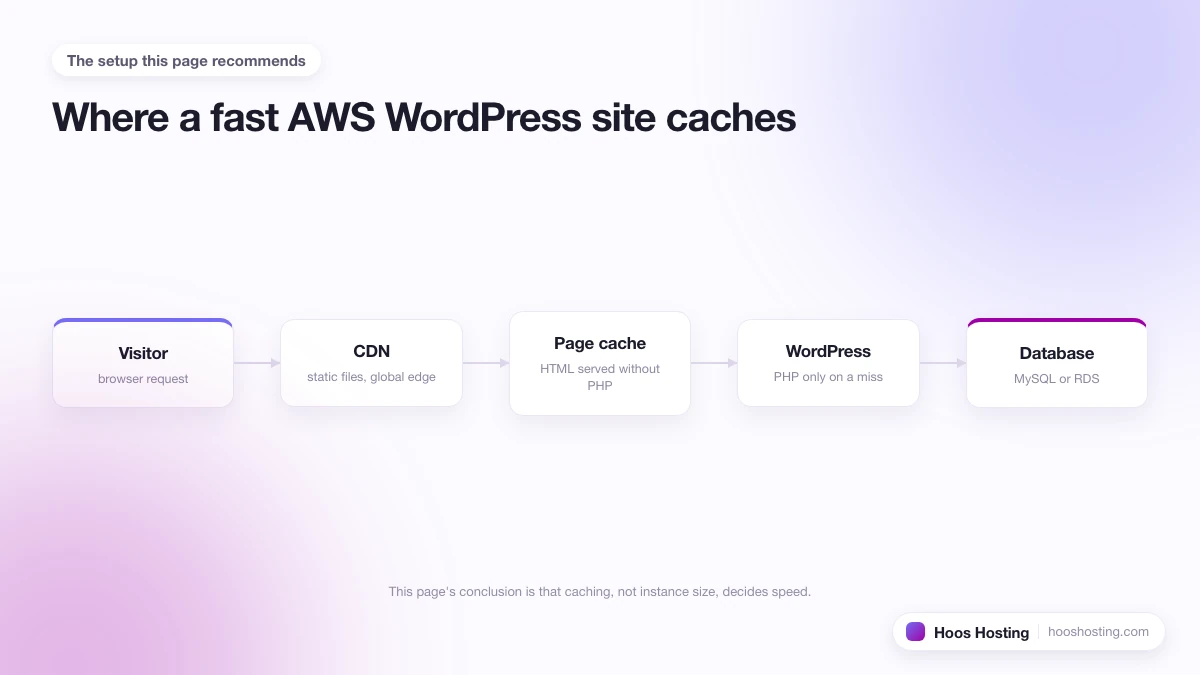
Before adding WP Rocket, go to your WordPress admin and disable Breeze’s page caching feature. You can leave Breeze installed if you want to keep its Redis object cache integration, but the page cache must be off. On the Cloudways platform side, leave Varnish enabled. WP Rocket and Varnish work together without conflict, and Varnish will handle full-page caching at the server level while WP Rocket manages WordPress-side optimization.
Installing WP Rocket
- Purchase a WP Rocket license from the WP Rocket website.
- In your WordPress admin, go to Plugins, then Add New, then Upload Plugin.
- Select the zip file you downloaded and click Install Now.
- Activate the plugin. WP Rocket applies a baseline configuration automatically on activation, including page caching and basic lazy loading.
Recommended WP Rocket Settings on Cloudways
- Enable page caching under the Cache tab. Mobile caching is worth enabling if your theme is mobile-responsive rather than serving a separate mobile URL.
- Enable CSS and JS minification under the File Optimization tab, but test on a staging site first. Minification can break scripts that rely on specific file ordering or concatenation.
- Enable image lazy loading under the Media tab. Extend this to iframes and videos if your pages embed YouTube content.
- If you run WooCommerce, go to Advanced Rules and exclude your cart, checkout, and My Account pages from caching. These pages must always load dynamically.
- If you use Cloudflare in front of your Cloudways server, connect it under the CDN tab. This lets WP Rocket clear the Cloudflare cache automatically when you publish or update content.
- Do not enable WP Rocket’s own RocketCDN option. Cloudways already provides CDN integration through its platform, and enabling a second CDN layer creates unnecessary complexity without a performance benefit.
For the full stack of server-level changes that move the needle on Cloudways performance, see the Cloudways performance and speed guide.
Should I Use WP Rocket with Cloudways?
WP Rocket works well on Cloudways and is worth the cost if your site has complex caching requirements, runs WooCommerce, or needs tighter control over file optimization than Breeze offers. For simpler WordPress sites, Breeze plus Varnish handles most of the performance work at no extra cost.
If you are comparing Cloudways to Rocket.net as a hosting platform rather than asking about a plugin, the answer depends on what you need. Rocket.net offers Cloudflare Enterprise edge performance with zero configuration, but charges per site and removes server access. Cloudways gives you a flexible, cost-effective infrastructure that can match Rocket.net’s performance once you add Cloudflare and configure WP Rocket properly. The more sites you run, the more Cloudways wins on price.