
DigitalOcean is a developer-first cloud hosting platform built around Droplets, low-cost virtual servers that start at $4 a month. It is one of the most popular ways to run WordPress, web apps, and APIs on infrastructure you control. This guide covers what DigitalOcean offers, how the pricing works, what running a website there actually involves, and who the platform is suited for.
What Is DigitalOcean?
DigitalOcean is a US-based cloud infrastructure provider founded in 2011, now serving more than 600,000 customers across 15 data centre regions. The flagship product is the Droplet, a virtual private server you provision in about a minute through a clean dashboard or API. You choose the size, the region, and the operating system or app image, and DigitalOcean spins it up for you.
Unlike traditional shared hosts, DigitalOcean does not bundle a control panel, a website builder, or email hosting. You get a server, a network, and a set of optional add-ons such as managed databases, block storage, snapshots, and a CDN. Everything else, including WordPress installation, SSL setup, and ongoing maintenance, is up to you or a third-party management layer like Cloudways.
DigitalOcean Droplet Pricing and Plans
DigitalOcean uses transparent per-resource pricing. You pay for what you provision, billed per second with a monthly cap, so spinning a Droplet up for a few hours costs cents rather than a full month. New accounts get $200 in credit valid for 60 days, which is enough to test multiple configurations before committing.
Droplets come in five families, each tuned for a different workload:
- Basic Droplets: from $4/mo for 512MB RAM, scaling up to $48/mo for 8GB RAM. These are shared-CPU machines that fit small WordPress sites, staging environments, and side projects.
- General Purpose: from around $63/mo with dedicated vCPUs and balanced memory, suited to production WordPress sites with steady traffic.
- CPU-Optimised: from around $42/mo, with full dedicated CPU cores. Best for build servers, video transcoding, and CPU-bound apps.
- Memory-Optimised: from around $84/mo, with much higher RAM-to-CPU ratios. Used for in-memory databases and caching workloads.
- Storage-Optimised: from around $131/mo, with large NVMe SSDs. Built for databases and analytics tools that need fast local disk.
Snapshots, backups, block storage, and bandwidth overage are billed separately. Weekly Droplet backups currently cost 20% of the Droplet price. Snapshots cost about $0.06 per GB per month, which adds up if you keep many copies. Outbound bandwidth above the included tier is around $0.01 per GB. Plan for these line items, not just the Droplet sticker price.
WordPress on DigitalOcean: Two Paths
Running WordPress on DigitalOcean is not a single setup. There are two practical paths, and the right choice depends on how much server work you want to do yourself. Our DigitalOcean setup and migration guide walks through both paths step by step, including how to move an existing site across.
Path 1: Self-Managed Droplet
You provision a Droplet from the DigitalOcean Marketplace using a pre-built WordPress image (a LAMP stack on Ubuntu) or a plain Ubuntu image. From there, you point your domain at the Droplet IP, install an SSL certificate using Let's Encrypt, configure WordPress through the wp-admin interface, and take responsibility for software updates, daily backups, security patching, and PHP version management. Our guide covers how to install WordPress on a DigitalOcean Droplet from first login to live site.
This path is the cheapest on paper. A 2GB Droplet at $10 a month is enough for a small business site. The catch is the operational overhead: you need to be comfortable with the command line, SSH keys, and basic Linux administration. DigitalOcean support will not touch your WordPress install. If your site goes down because of a plugin conflict or a misconfigured cache, you are on your own.
Path 2: Managed Through Cloudways
The second path is to provision a DigitalOcean Droplet through Cloudways, which sits between you and the raw server. Cloudways handles the LEMP stack, server-level caching (Varnish, Redis, Memcached), security patching, daily off-site backups, and a one-click WordPress installer. You pay a roughly 25 to 40 percent markup over the underlying Droplet price in exchange for a managed experience and 24/7 chat support.
If you have ever used Cloudways before, the workflow is familiar. If you have not, the difference compared with a raw Droplet is substantial: no SSH required for most tasks, a clear dashboard for backups and PHP versions, and a real support team to call when something breaks.
DigitalOcean App Platform vs Droplets
DigitalOcean markets two very different products under the same brand, and buyers often confuse them. Droplets are virtual machines: you get root access to a Linux server and full control over what runs on it. The App Platform is a Platform-as-a-Service (PaaS) product that deploys code directly from a Git repository without giving you access to any underlying server.
The App Platform handles SSL, auto-scaling, container builds, and zero-downtime deployments. It is the right choice for Node.js APIs, Python web apps, Ruby on Rails projects, and static sites. Static sites deploy for free on the App Platform. Dynamic apps start at $5 per month per container.
WordPress is not supported on the App Platform in any practical way. WordPress requires persistent file storage for uploads, a MySQL database, and the ability to write to the filesystem at runtime. App Platform containers are ephemeral: anything written to the container filesystem disappears on the next deploy. To run WordPress on App Platform, you would need to offload all file storage to DigitalOcean Spaces (object storage) and wire up a separate managed database, which is a significantly more complex setup than simply using a Droplet. For WordPress, use a Droplet.
The short version: if you are building a modern web application or deploying from Git, App Platform is faster and simpler than a Droplet. If you are running WordPress, any PHP-based CMS, or anything that needs a conventional web server, use a Droplet instead.
Third-Party Control Panels for Droplets
A bare Droplet has no GUI. If you want to manage WordPress, domains, email, and databases without typing commands, you need a third-party control panel installed on the Droplet. Several options exist at different price points:
- RunCloud: $8 to $15 per month per server. Covers Nginx/Apache configuration, PHP version switching, database management, SSL, and deployment hooks. Designed specifically for WordPress. A popular choice for freelancers and agencies who want SSH access when they want it but a dashboard for day-to-day tasks.
- GridPane: $30 to $100 per month, depending on the plan. More advanced than RunCloud, with built-in Nginx page caching, Redis object caching, DNS management, and staging. Well suited to agencies managing 10 or more sites across multiple servers. Its free tier covers one server.
- SpinupWP: $12 to $39 per month. Purpose-built for WordPress with a clean interface. Manages server configuration, Git deployments, backups, and WP-CLI access. Less feature-dense than GridPane but simpler to use.
- ServerPilot: Free to $19 per month per server. A lighter option that handles PHP app deployment and Apache/Nginx configuration. No built-in WordPress tooling beyond the basics, but works well for multi-site setups where you manage WordPress directly via wp-admin.
- Cloudways: From $11 per month, but this includes both the Droplet cost and the management layer. You are not installing Cloudways on top of a raw Droplet; Cloudways provisions its own managed Droplet and abstracts the server entirely. The trade-off is less root-level flexibility in exchange for a fully maintained stack.
The cheapest route to a managed DigitalOcean Droplet is SpinupWP or RunCloud on a $10/month Basic Droplet, bringing the total to $18 to $23 per month. For most single-site WordPress setups, this beats the raw Droplet on usability while staying close to the raw cost. For multi-server or multi-client setups, GridPane starts to justify its higher price through its caching stack and team features.
When DigitalOcean Is the Right Choice
DigitalOcean fits a specific kind of user. Picking it for the wrong reason leads to frustration, so the question is not "is DigitalOcean good?" but "is DigitalOcean good for me?"
DigitalOcean is a strong fit if you are comfortable on the command line, want predictable pricing without hidden surcharges, and value control over your stack. Developers running staging environments, custom web apps, or microservices get a lot of value from the clean API and the per-second billing. Agencies that manage many small sites can squeeze more performance per dollar than they would on shared hosting.
It is also a good fit when you want to scale predictably. Resizing a Droplet up or down takes a few minutes (and on the Basic plan, a Droplet restart). Adding a load balancer, a managed database, or a block storage volume is a few clicks. The platform was built for engineers who want to grow without surprises.
When DigitalOcean Is Not the Right Fit
DigitalOcean is the wrong tool if you want a host that handles WordPress for you. There is no cPanel, no automatic plugin updates, and no team you can ring to fix a broken theme. Beginners who set up a Droplet on a Friday and discover a server problem on Sunday often find themselves stuck.
It is also the wrong choice if you need bundled services. Domain registration, business email, and one-click email forwarding are not included. You will need to buy a domain at a registrar, set up email through Google Workspace or Microsoft 365, and configure DNS yourself.
For these users, a managed WordPress host or the Cloudways layer is a better starting point. See our guide on how Cloudways differs from regular hosting for a side-by-side comparison.
DigitalOcean vs Shared Hosting
A common misconception is that DigitalOcean competes with hosts like Bluehost or Hostinger. They serve different audiences. Shared hosting bundles many sites onto a single server with a friendly control panel and bundled support. DigitalOcean gives you a single private server with no panel, no bundled support, and full root access.
The trade-off is real performance for real responsibility. A $5 Droplet usually outperforms a $10 shared plan because nothing else is competing for resources. The flip side is that you are also the sysadmin, the security team, and the backup operator. If something breaks, no one is going to call you.
Performance and Server Locations
DigitalOcean publishes a 99.99% uptime SLA and runs on NVMe SSDs across all current Droplet plans. The network is good but not the largest in the industry: 15 regions, including New York, San Francisco, Toronto, Amsterdam, London, Frankfurt, Bangalore, Singapore, and Sydney. Pick the region nearest to where your visitors live, since you cannot move a Droplet between regions without a snapshot-and-restore.
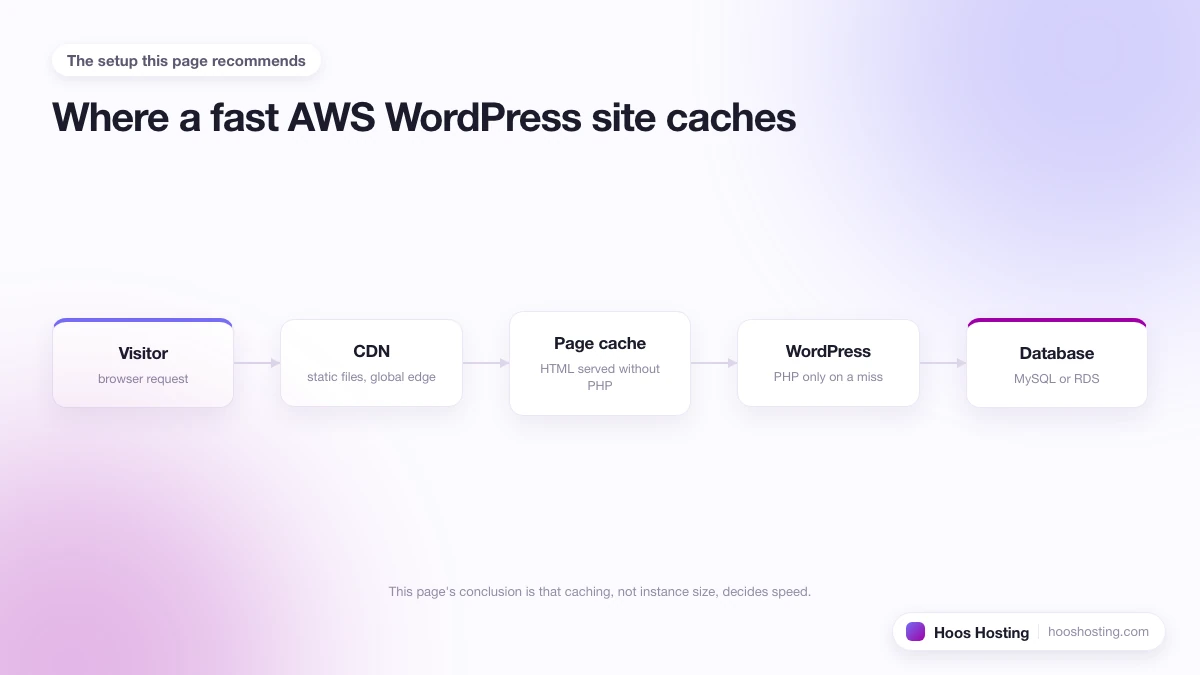
If global latency matters, pair the Droplet with a CDN. DigitalOcean has its own Spaces CDN, or you can put Cloudflare in front of the site, which most production WordPress setups do anyway.
Managing Costs on DigitalOcean
The list price of a Droplet is not the total monthly cost. A realistic budget for a self-managed WordPress site on DigitalOcean looks like this:
- Droplet: $10/mo for a 2GB Basic Droplet
- Weekly backups: $2/mo (20% of the Droplet price)
- Server management tool (RunCloud, GridPane, or similar) if you want a control panel: $5 to $10/mo
- Domain registration: $1 to $2/mo amortised
- Email through Google Workspace or similar: $6/mo per user
That is around $24 to $30 a month for a single-site setup. Compare that to a Cloudways Starter plan on DigitalOcean at $14/mo, which already includes server management, backups, caching, and a control panel. The unmanaged path is cheaper only if you are confident running the stack yourself, or if you are managing several sites on one Droplet to spread the fixed cost.
Read the Full DigitalOcean Review
For a deeper look at performance benchmarks, support response times, and how the platform compares with Vultr and Linode, read our full DigitalOcean review. The review covers the day-to-day experience of running a Droplet, the gaps in the support model, and where Cloudways closes those gaps.
Getting Started with DigitalOcean
The simplest way to test DigitalOcean for a WordPress site is through Cloudways, which provisions the Droplet for you and handles the LAMP stack and WordPress install in a single click. You still get the underlying DigitalOcean infrastructure, but with a managed layer that fixes the support gap.
If you would rather run a raw Droplet, sign up directly at DigitalOcean, claim the $200 credit, and start with a 2GB Basic Droplet using the WordPress Marketplace image. Either way, set up daily backups before you put real traffic on the server. If you are bringing an existing site over, our guide to migrating a WordPress site to DigitalOcean covers the safe way to do it.
