Kinsta is a managed WordPress host built entirely on Google Cloud Platform, founded in 2013 and headquartered in Los Angeles. It serves more than 120,000 sites for clients including Tripadvisor, Buffer, and FreshBooks. Plans start at $35 per month for one WordPress site with 35,000 monthly visits. Every plan ships with the same core infrastructure; you pay for traffic, storage, and PHP workers, not tier-locked features. This guide covers what Kinsta includes, how it compares to alternatives, and where to find step-by-step instructions for the platform's most-used tools.
Kinsta Pros and Cons
Most people researching Kinsta want the honest summary before diving into the details. Here it is:
Pros:
- Google Cloud infrastructure: Every site runs on Google Cloud Premium tier, the same network backbone used by YouTube and Google Search.
- True container isolation: Each site runs in its own Linux container, so a compromised neighbour cannot touch your files or processes.
- Polished dashboard: MyKinsta replaces cPanel with a purpose-built interface covering staging, backups, analytics, CDN, and DNS in one place.
- Hack cleanup guarantee: If your site is compromised, Kinsta remediates it at no extra charge on any plan.
- 24/7 WordPress-specialist support: Support is chat-only but staffed by engineers who know WordPress, not generic tier-1 agents.
- Everything included: Free CDN (Cloudflare-powered), free SSL, daily backups, staging, and DDoS protection come standard with no a-la-carte fees for basics.
Cons:
- WordPress only: Kinsta does not host Laravel, Ghost, or static sites on the WordPress plans. Application Hosting exists but is separate and priced differently.
- No phone support: WP Engine and SiteGround offer phone support on some plans; Kinsta does not.
- Overage charges: Exceed your monthly visit allowance and you pay $1 per 1,000 extra visits, which adds up fast on traffic spikes.
- Price: $35/month entry is roughly 10x what Bluehost or SiteGround charge for shared hosting. The premium is justified for revenue-linked sites but not for simple blogs.
- Redis costs extra: Object caching for WooCommerce and membership sites is a paid add-on ($25-100/month per site), not bundled.
What Is Kinsta?
Kinsta is a premium managed WordPress host that runs every site in its own isolated Linux container on Google Cloud's premium tier network. Unlike a shared host such as Bluehost, you do not share CPU and RAM with other customers. Unlike a managed-cloud reseller such as Cloudways, Kinsta runs its own engineered stack (Nginx, MariaDB, PHP, Redis as an add-on) tuned specifically for WordPress, with no other CMS supported. The platform layer is called MyKinsta, an in-house dashboard that replaces cPanel and handles billing, site management, staging, backups, and analytics from one interface.
The trade-off is price and flexibility. Kinsta is built for WordPress only, so if you also run a Laravel app or a Ghost blog, you need another host. And the entry plan ($35/month) is roughly 10x what Bluehost charges. The full background, ownership, support model, and benchmark performance lives in the Kinsta review.
Kinsta Hosting Plans and Pricing
All Kinsta plans include the same core stack: Nginx, the latest PHP, server-level page caching, free CDN, free SSL, daily backups, staging environments, and 24/7 chat support from WordPress engineers. What changes between tiers is the visit allowance, storage cap, number of PHP workers (concurrent request handlers), and how many WordPress installs you can run.
- Starter ($35/month): 1 WordPress site, 35,000 monthly visits, 10 GB SSD, 2 PHP workers, 100 GB CDN bandwidth. Right for a small business site, a portfolio, or a low-traffic blog.
- Pro ($70/month): 2 sites, 65,000 visits, 20 GB SSD, 2 PHP workers, 200 GB CDN. Right for two related projects or a growing single site.
- Business 1 to 4 ($115 to $400/month): 5 to 40 sites, 150k to 600k monthly visits, 30 to 60 GB SSD, 4 PHP workers across most tiers. Right for an agency managing several client sites or a single revenue-critical store.
- Enterprise ($725/month and up): custom site count, 1 million to 4 million monthly visits, 100 to 250 GB SSD, 8 to 12 PHP workers, dedicated migrations. Right for high-traffic publishers, large WooCommerce stores, or anyone needing an SLA.
Two pricing details catch new customers out. First, the listed prices are monthly; annual prepay saves about two months per year. Second, overage charges apply if you exceed your visit allowance, billed at $1 per 1,000 extra visits. Sustained overages mean it is cheaper to move up a tier. The plan-by-plan value analysis and overage math are in the Kinsta review.
Kinsta Agency and Developer Plans
Standard Kinsta plans (Starter through Enterprise) each allow between 1 and 150 WordPress installs. Agency plans are a separate tier designed for web agencies and freelancers who manage sites on behalf of clients. The key difference is not just the site count but the operational tools that come with it.
Agency plan tiers:
- Agency 1 ($300/month): 20 WordPress sites, 600,000 monthly visits pooled across all sites, 60 GB SSD storage, 4 PHP workers per site.
- Agency 2 ($400/month): 40 sites, 800,000 visits, 80 GB SSD.
- Agency 3 ($500/month): 60 sites, 1 million visits, 100 GB SSD.
- Agency 4 ($600/month): 80 sites, 1.2 million visits, 120 GB SSD.
- Agency 5 ($700/month): 100 sites, 1.5 million visits, 150 GB SSD.
Agency plans include several tools not on standard plans:
- Client billing in MyKinsta: Agencies can bill clients directly through the MyKinsta dashboard, with separate invoices per client and granular control over which client sees which site.
- White-label staging URLs: Staging environments can be shared with clients under a custom subdomain rather than a Kinsta-branded URL.
- Site labels and grouping: Sites in MyKinsta can be labelled and filtered by client, making it practical to manage dozens of sites without losing track of ownership.
- Free site migrations included: Agency plans include a set number of free migrations handled by Kinsta’s team per month.
Annual pricing reduces agency plan costs by the equivalent of roughly two months. Kinsta also runs an Agency Partner Program that provides directory listings, co-marketing opportunities, and dedicated account management for qualifying agencies.
Kinsta Application and Database Hosting
Kinsta’s Application Hosting and Database Hosting products extend the platform beyond WordPress. These run in the same Google Cloud infrastructure as Kinsta’s WordPress offering, but use container-based deployment for non-WordPress code.
Application Hosting supports any language or framework that can run in a Docker container, including Node.js, Python, Ruby, Go, PHP, and Java. Deployment is Git-based: connect a GitHub, GitLab, or Bitbucket repository and Kinsta builds and deploys on each push. Pricing is based on CPU and RAM used by the running container rather than monthly visit allowances, starting from roughly $7/month for a small container.
Database Hosting provides managed instances of MySQL, PostgreSQL, and Redis, each running in an isolated Google Cloud container with daily backups, automated failover, and private networking to connect to an Application Hosting container. Pricing starts at around $18/month per database instance.
Application and Database Hosting plans are separate from WordPress plans. A developer can run a Next.js app on Application Hosting alongside a WordPress site on a standard Kinsta plan under the same MyKinsta account.
Kinsta Guides by Topic
Kinsta's day-to-day management happens in MyKinsta, the in-house dashboard. The topics below group the tasks new customers most often look up. Each linked guide is a focused how-to.
Setup and Migration
Whether you are spinning up a fresh WordPress install in MyKinsta or moving an existing site over from another host, the setup steps and the cutover playbook share more than you would think. The Kinsta setup and migration guide walks through the white-glove free-migration path, the DIY Migrate Guru and manual SFTP routes, the TTL pre-warm and DNS cutover sequence, and the seven gotchas (file permissions, the kinsta-mu-plugins drop-in, disabled WP-Cron, serialized search-replace, mixed content, WooCommerce transients, multisite) that catch most teams the first time. For a step-by-step how-to that compares all four migration methods (free team, $49 expedited, Migrate Guru, and manual SFTP) with a pre-migration checklist, see the how to migrate WordPress to Kinsta walkthrough.
WordPress Performance and Optimization
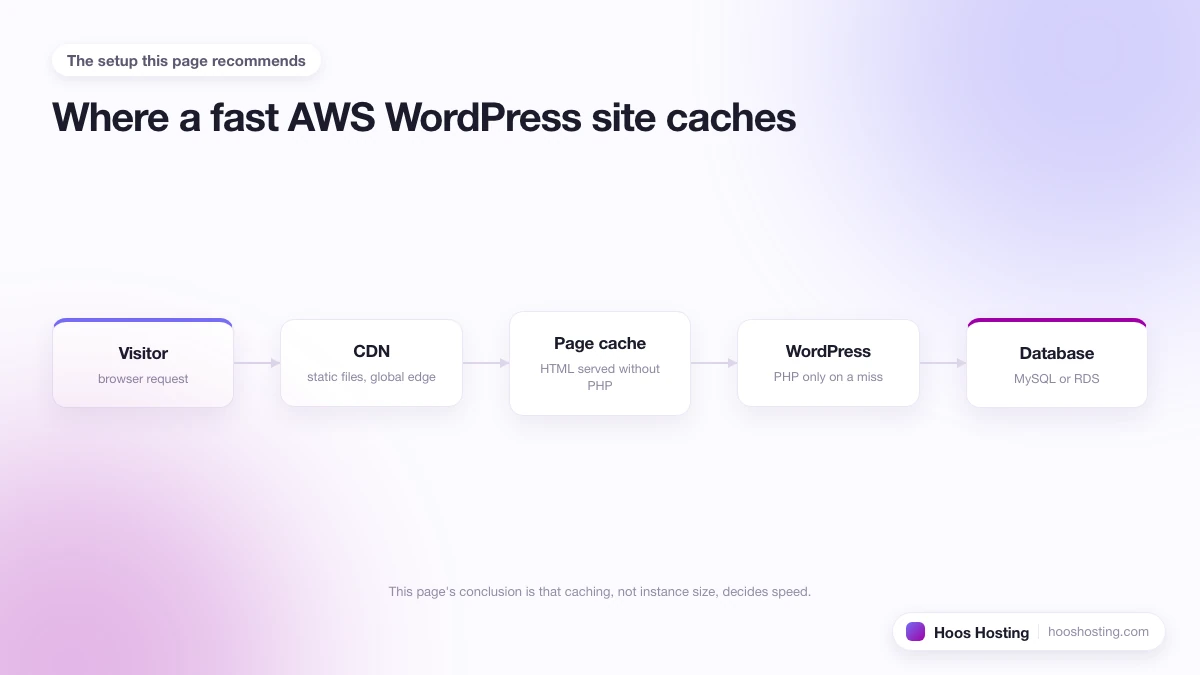
Performance is the reason most teams pick Kinsta, but the default install is conservative; the speed gains come from turning on the right features. The consolidated walkthrough (three-layer caching, when Redis pays for itself, and the APM debug workflow) is in our Kinsta WordPress optimization guide. The starting point is the Kinsta CDN on WordPress, which is included free and powered by Cloudflare's 300+ edge locations. Object caching gives the next meaningful speed lift; Redis object cache on Kinsta is a paid add-on ($25-100/month per site) but it eliminates repeated database queries on dynamic sites (WooCommerce, membership, BuddyPress). For diagnosis, the Kinsta APM tool shows transaction traces directly in MyKinsta, so you can find a slow plugin without installing New Relic. When something breaks, WordPress debug mode via MyKinsta exposes PHP errors safely without editing wp-config.php by hand.
Account, Domain, and Security Management
MyKinsta separates company accounts from site management, which trips up new agency owners. The consolidated walkthrough is in our Kinsta account and domain management guide. Use two-factor authentication on MyKinsta as the first step on any account; Kinsta supports authenticator apps and security keys. For client handovers, transferring company ownership on Kinsta moves billing and admin rights cleanly, which matters for agencies billing through the client's account. On the domain side, the free CDN integration overrides Cloudflare's own DNS proxy, so connecting an existing Cloudflare-protected domain takes one extra step: see Kinsta's Cloudflare integration on an existing domain. Multi-region or geo-failover setups need domain pointing to multiple IPs on Kinsta, which Kinsta supports but does not document obviously. And managing MyKinsta notifications keeps inbox noise down once you scale past five sites.
Staging Environments
Every Kinsta plan includes at least one staging environment per WordPress site. Staging is a separate full copy of your site running on Kinsta infrastructure. It uses the same PHP version, server configuration, and database engine as your production site, so what you test on staging behaves identically on live. You can push from staging to production (or pull from production to staging to refresh the test environment) with a single click from MyKinsta. The practical advantage over plugin-based staging: there is no manual database export, no file transfer, and no risk that a plugin dependency behaves differently in the staging copy. Kinsta's staging environments also support Premium Staging, a paid upgrade that gives the staging environment its own dedicated resources rather than sharing production worker capacity.
Backups and Restore
Kinsta runs automatic daily backups for every site on every plan, retained for 14 days on most plans (30 days on higher-tier plans). On-demand manual backups are available (up to six per site) for times when you want a snapshot before a major update. Downloadable backups let you store a copy off-platform for archiving or migration. System-generated backups run automatically after theme and plugin updates, so you can roll back cleanly if an update breaks something. Kinsta backups sit outside the WordPress filesystem, which means a corrupted WordPress install cannot delete its own backup history. For WooCommerce stores or membership sites where losing even four hours of orders is costly, paid add-ons bring backup frequency to every six hours or every hour.
Kinsta Security Features
Kinsta builds security into the infrastructure layer rather than offering it as a paid add-on. Every site runs in an isolated Linux container, so a compromised site on the same server cannot access files or processes belonging to another customer. This container isolation is the most meaningful security advantage over shared hosting, where a single server vulnerability can affect every account on that machine.
At the network edge, Kinsta routes all traffic through Cloudflare Enterprise, which provides DDoS mitigation, Web Application Firewall (WAF) rules blocking common exploit patterns (SQL injection, XSS, wp-login brute force), and rate limiting. These protections activate before traffic reaches your server and require no plugin or configuration work on your end.
Inside MyKinsta, the IP Deny tool lets you block specific IP addresses or ranges that are hammering your login page or running WordPress vulnerability scans. Google Cloud's underlying firewalls block all ports except 80, 443, and SSH by default, which keeps the attack surface smaller than a typical VPS. Kinsta also runs malware scanning across site files, with manual scans available through support at no extra charge.
- Container isolation: Each WordPress site runs in its own container with no shared file system or processes with other accounts.
- Cloudflare Enterprise WAF: Blocks common exploit attempts at the edge before they hit your server.
- DDoS mitigation: Cloudflare absorbs volumetric attacks at the network layer.
- IP Deny: Block specific IPs from MyKinsta without installing a security plugin.
- Malware scanning: Available on request through support at no additional cost.
- Automatic SSL and HTTPS enforcement: Free Let's Encrypt, auto-renewed, with a force-HTTPS toggle in MyKinsta.
- Hack cleanup guarantee: Kinsta will remediate any compromised site at no additional charge, on any plan.
What Kinsta does not include: automated WordPress plugin vulnerability scanning, WAF rule customization for specific needs, or phone-tier incident response. Security at the WordPress application layer (hardened login, two-factor authentication, role management) is your responsibility. The two-factor authentication guide for MyKinsta covers securing your account access.
Kinsta Free Trial and Money-Back Guarantee
Kinsta does not offer a traditional free trial. Instead, it covers new customers with a 30-day money-back guarantee on all hosting plans. If you sign up, migrate your site, and decide Kinsta is not the right fit within 30 days, you receive a full refund on hosting fees. Domain registration and paid add-ons are excluded, but the core hosting cost comes back. This applies to all plan tiers, including Enterprise.
The practical substitute for a free trial is the complimentary migration: every Kinsta plan includes one free migration handled by their engineering team. They transfer files and the database, verify the migrated site works correctly under your staging URL, and do not flip DNS until you confirm it is good. This means you can run your site on Kinsta infrastructure and test its real performance before any visitors see it.
Annual billing saves roughly two months of cost versus monthly. If you are confident enough to pay annually, the money-back window still applies for the first 30 days. The overage policy remains: visit allowance overages bill at $1 per 1,000 extra visits, so size your plan against your actual traffic rather than a hypothetical ceiling.
Kinsta Review
The decision question for most buyers is whether Kinsta's premium is worth it over cheaper managed-WordPress and shared hosts. The honest evaluation, including the support response times we measured, the TTFB benchmarks across regions, and the gaps where Kinsta is not the right fit, is in the dedicated Kinsta review. The short version: Kinsta is the right pick when WordPress is your only stack, performance is revenue-linked, and you want one bill for hosting, CDN, security, and backups. It is the wrong pick when you need phone support (WP Engine has it; Kinsta does not), when you run non-WordPress alongside WordPress, or when budget caps the conversation under $30 per month.
Kinsta vs the Other Managed WordPress Hosts
Kinsta competes most directly with WP Engine and Cloudways. The three serve overlapping audiences but pick very different trade-offs.
- Kinsta: own engineered stack, Google Cloud only, chat support, $35 starting price, polished MyKinsta dashboard. Best for non-technical owners and revenue-generating sites.
- WP Engine: own stack, phone support on all plans, Genesis themes bundled, $24 starting price. Best for agencies and organizations needing phone-tier vendor support.
- Cloudways: managed layer on top of DigitalOcean, AWS, GCP, Vultr, or Linode. From $11/month with much higher headroom per dollar. Best for cost-conscious operators comfortable with a slightly more technical workflow. See the Cloudways hosting guide for the full plan and provider breakdown.
For traditional shared hosting at one-tenth the price (with the trade-offs in performance and reliability), the Bluehost hosting guide covers the budget end of the WordPress hosting market. The bigger picture comparison is in the Kinsta review's "Kinsta vs Cloudways and WP Engine" section.
Is Kinsta Right for You?
Three signals usually settle the decision. First, if WordPress (including WooCommerce) is your only application stack, Kinsta is built for that and only that, which means the support team actually knows your codebase. Second, if a one-second page-load difference shifts your conversion rate by a measurable amount (most direct-response and ecommerce sites), the performance premium pays back. Third, if your time is more valuable than the hosting bill, MyKinsta's automation (one-click staging, automatic backups, plugin-update notifications) saves the kind of hour-per-week that cheaper hosts cost you in operational drag.
Conversely, three signals suggest a different host. If you run non-WordPress projects (Laravel, Ghost, static sites), Kinsta has no place to put them; Cloudways will. If you need phone support during a launch crisis, WP Engine is the only premium managed host that offers it. If your budget is under $30 per month per site and you can tolerate shared-tier performance, Bluehost or another budget host will serve.
How to Get Started with Kinsta
Sign up at Kinsta's site, pick the Starter plan if you are unsure, and use the free migration service to move an existing WordPress site over. Kinsta handles one free migration per plan from any standard WordPress host, and the engineering team checks the migration for plugin conflicts before flipping DNS, which is the part most other hosts skip. Once live, set up two-factor authentication on MyKinsta, turn on the Kinsta CDN, and bookmark the APM tool for the first time something feels slow. When you need to trace a PHP error, blank screen, or plugin conflict, the WordPress debug mode guide for MyKinsta walks through enabling WP_DEBUG, reading the error log, and using SCRIPT_DEBUG for JavaScript issues. For moving an existing WordPress or WooCommerce site to Kinsta, the guide to migrating WordPress to Kinsta compares all four migration methods and includes a post-migration checklist. If you want the full decision walk-through before signing up, the Kinsta review is the right next read.